Hiragana Times Desktop
Building a multilingual digital magazine reading platform from 0 → 1
- Role
- UI/UX Design
Interaction Design
Design System - Duration
- 1 month
- Tools
- Figma
- Team
- 2 Engineers
1 Product Manager
1 UX Writer
Background
Hiragana Times is a monthly magazine published in Japan that focuses on promoting Japanese culture. It was first published in 1986 and is written in both Japanese and English. Each issue of the magazine contains articles on a wide range of topics, including Japanese culture, society, business, politics, and current events.
Since launching the Hiragana Times app in 2019, it has become the leading Japanese learning platform. Our editors provide valuable articles that have helped us accumulate a large collection of Japanese learning materials. To allow readers to access our content on various devices and improve our SEO performance, we decided to create an article-reading website.
Objectives
1. Enhance the SEO performance of Hiragana Times.
2. Explore the market potential of an article-based business model rather than a magazine-based model.
Ideation
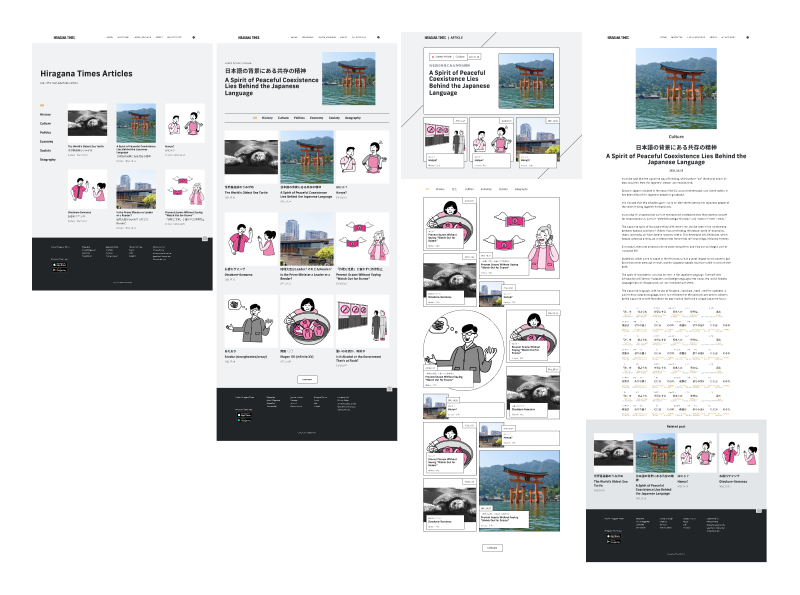
Building a new website from scratch, I decided to experiment with creative interfaces and unique layouts.
Design System
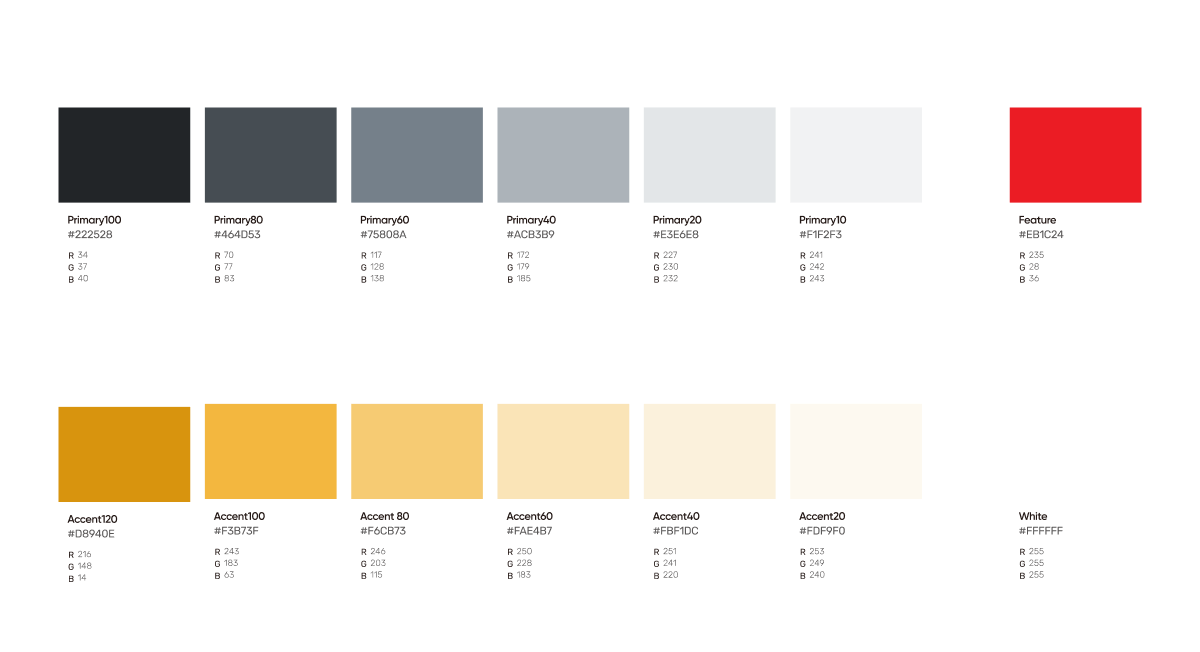
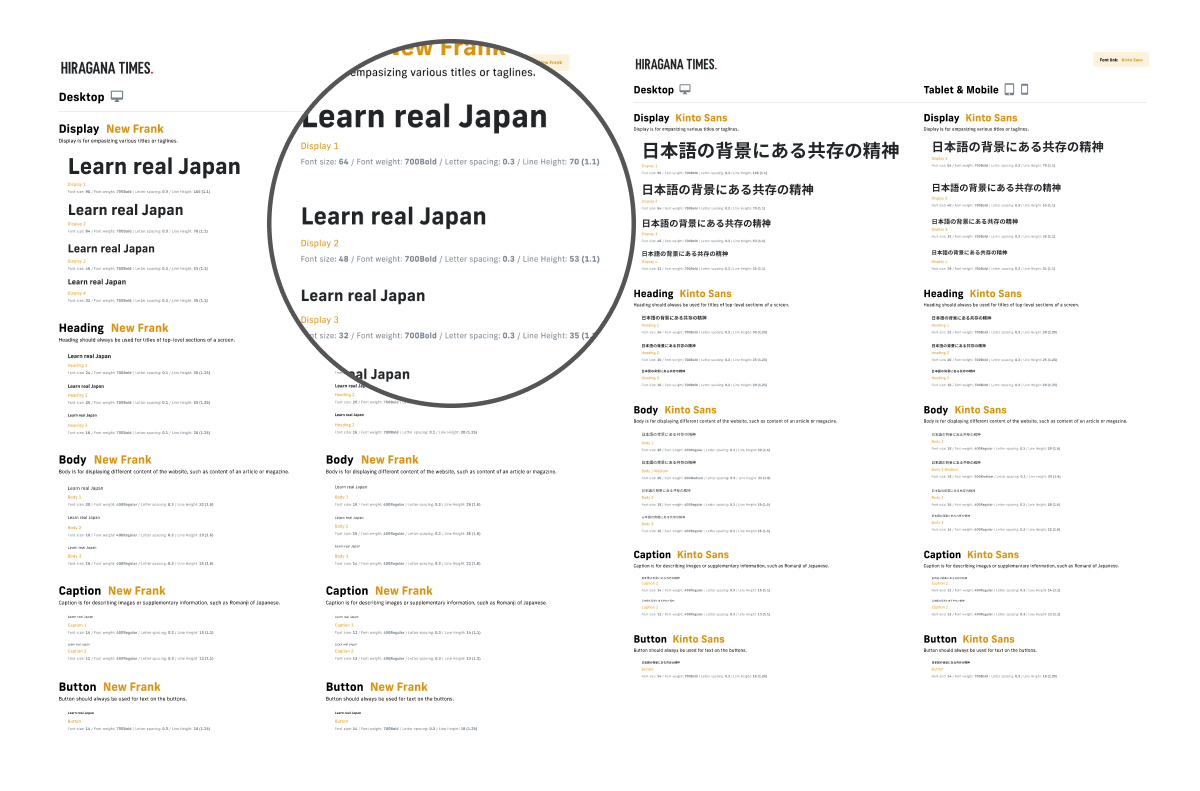
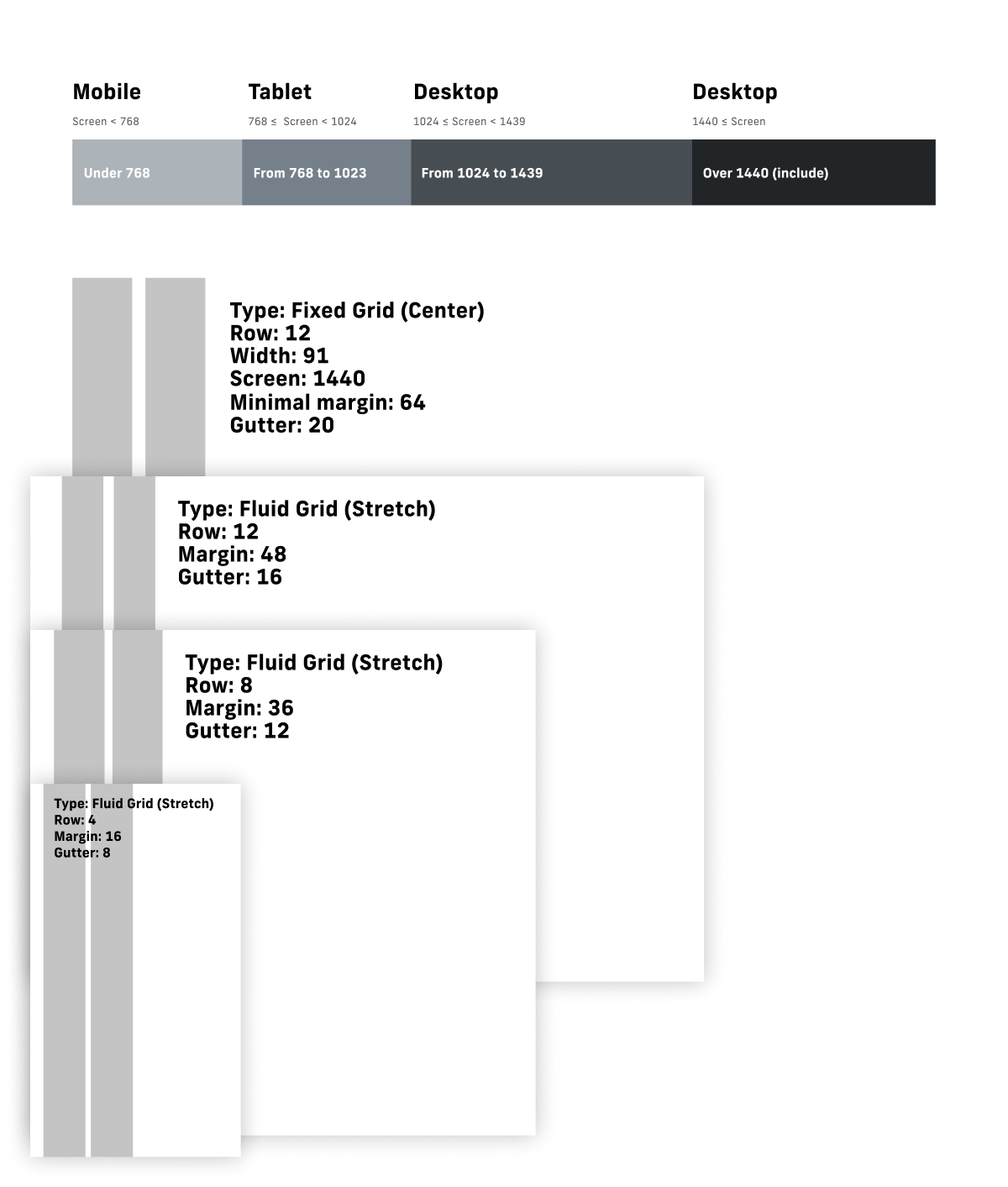
To create a well-designed and efficient website, it is important to establish a strong foundation. As part of this process, I defined the color scheme, typography, and grid system for the website. These design elements serve as the building blocks for the overall look and structure of the site, and will be used consistently throughout the design to create a cohesive and visually appealing experience for users.
Design Result
Visual Layout
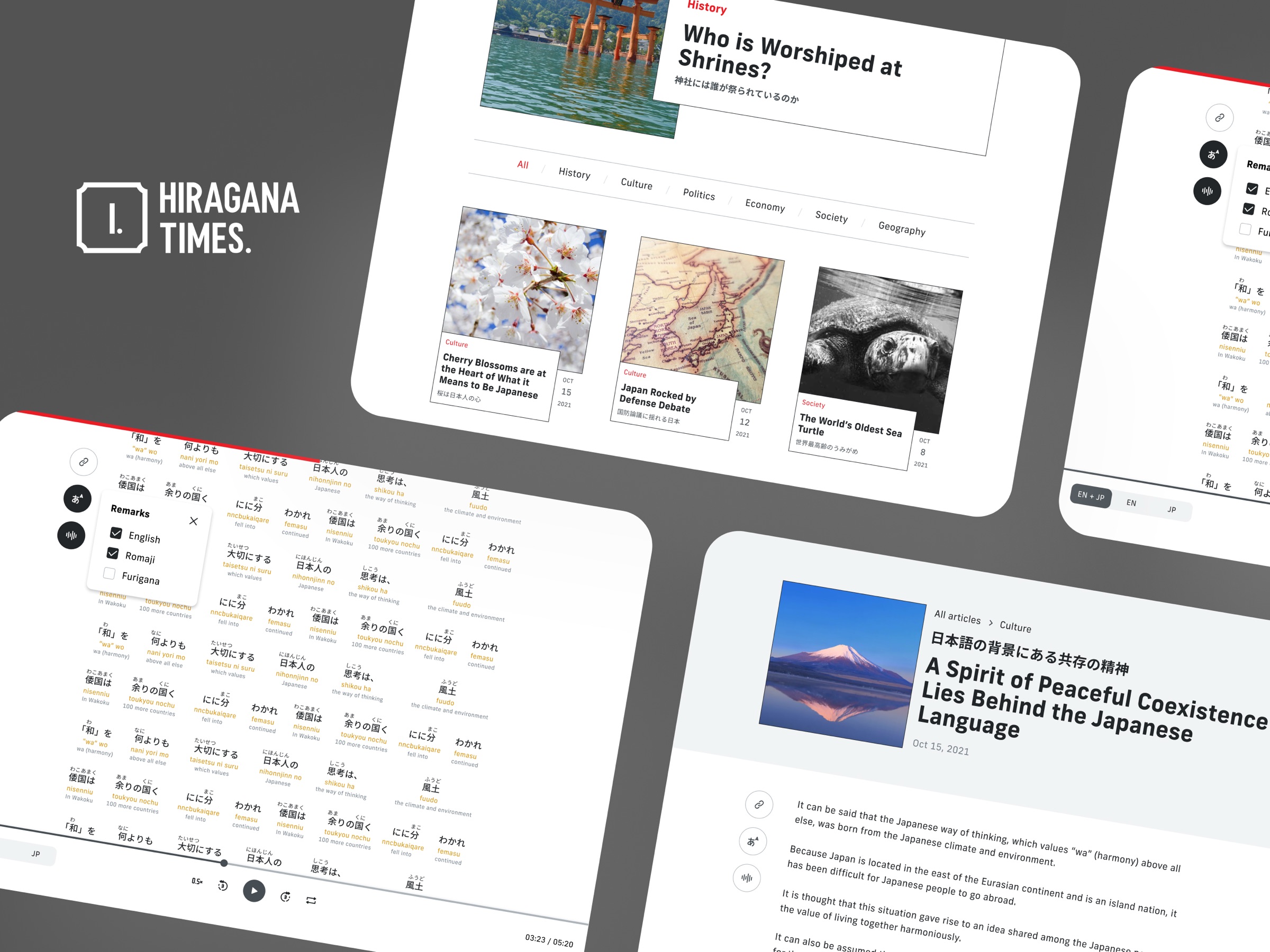
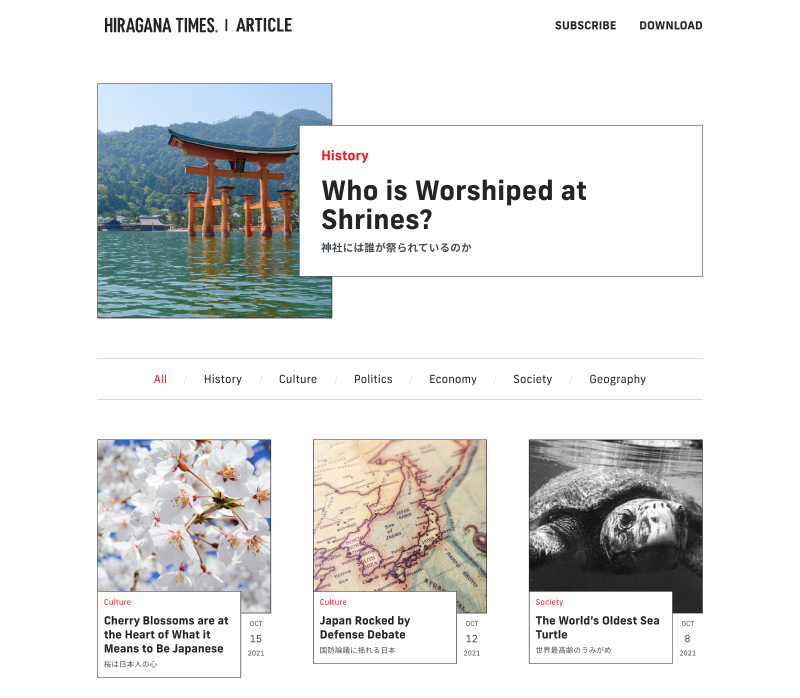
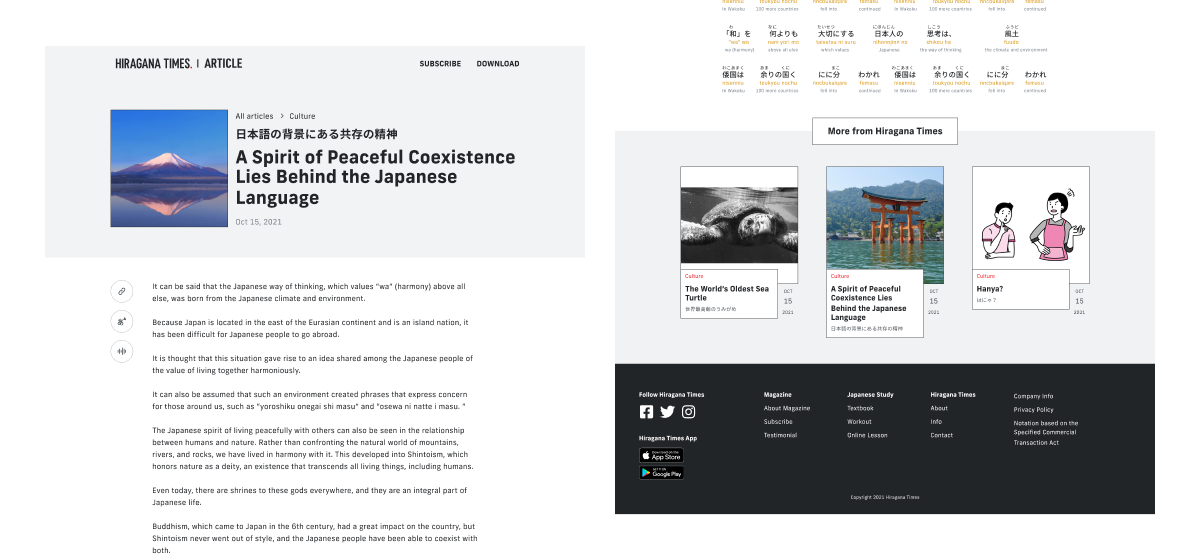
By featuring the latest article prominently in the hero section, users can easily access the latest content. In addition, by refining the layout and presentation of the article information, I aim to create a more polished and elegant experience for our users.
Microinteractions
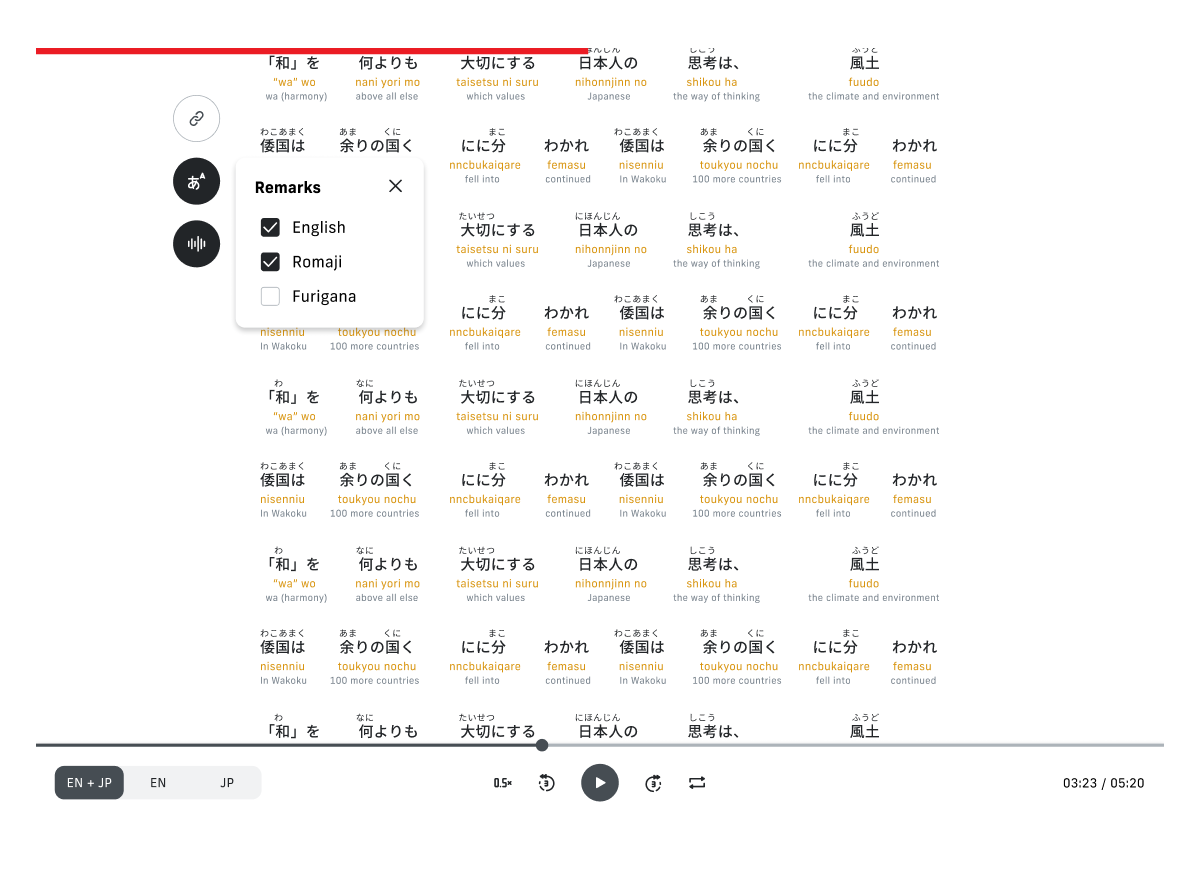
The progress bar anchors the user’s progress, gently guiding reading flow.
Hover over the buttons on the side to see hints and click to see feedback.
Smooth switching between Furigana, Romaji, and English.
Audio playback component to switch between audio languages, playback speeds, fast forward/backward, and looping options.